


IntelliCall AI
v11.6.0AI Toolsby Wixzel
AI Voice Agents
10 sales
Published Jun 15, 2026
Last updated Aug 29, 2026
Choose a license
Instant download · license key + invoice included
Add support
About this product
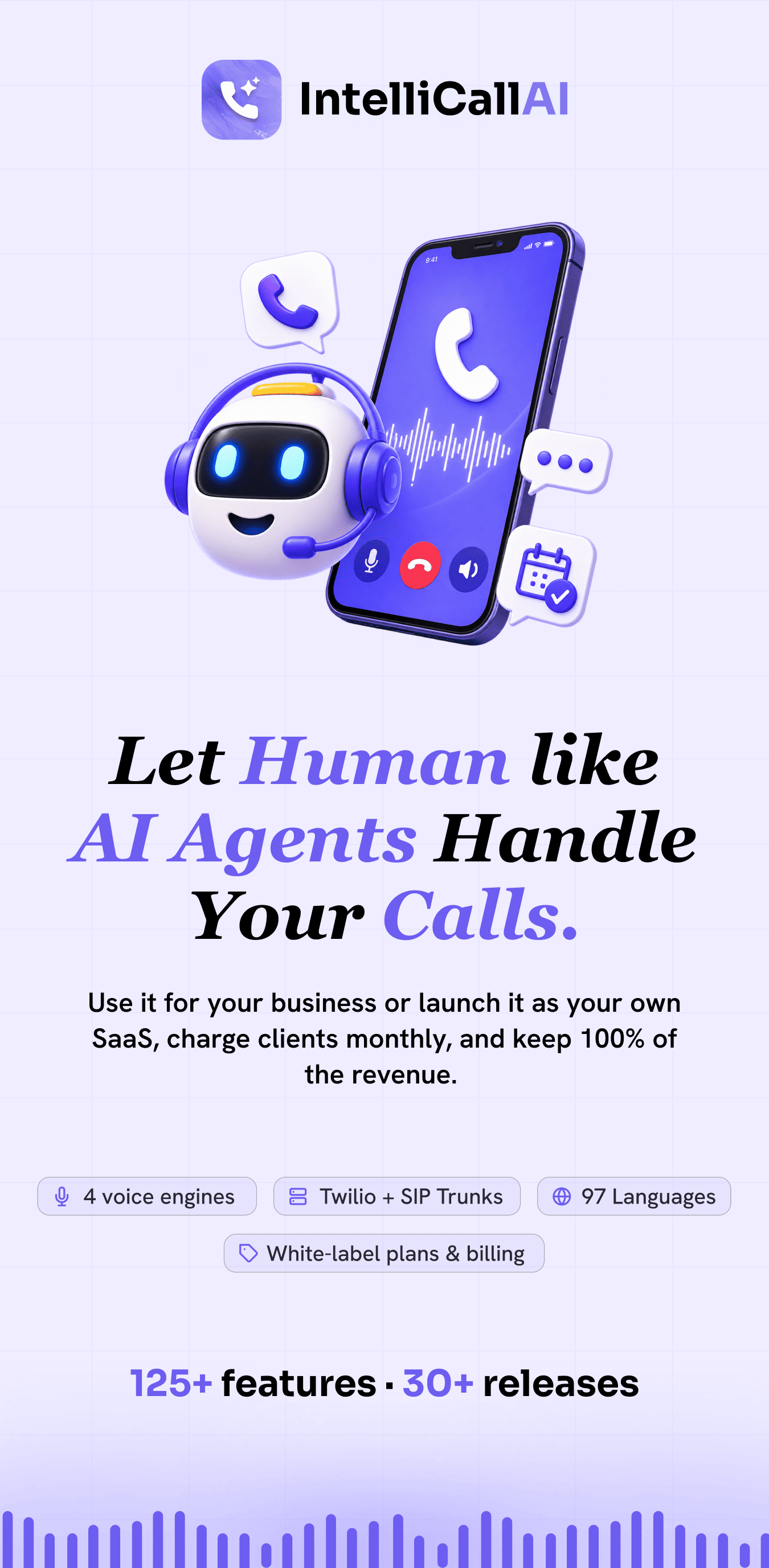
 Close leads automatically with AI voice agents that call, qualify, and book appointments — 24/7.
Run it as your own SaaS. Keep 100% of the revenue.
Close leads automatically with AI voice agents that call, qualify, and book appointments — 24/7.
Run it as your own SaaS. Keep 100% of the revenue.
What you can do with IntelliCall AI
- Call 1,000+ leads automatically without a sales team
- Qualify prospects in real-time using AI
- Book appointments directly from phone calls
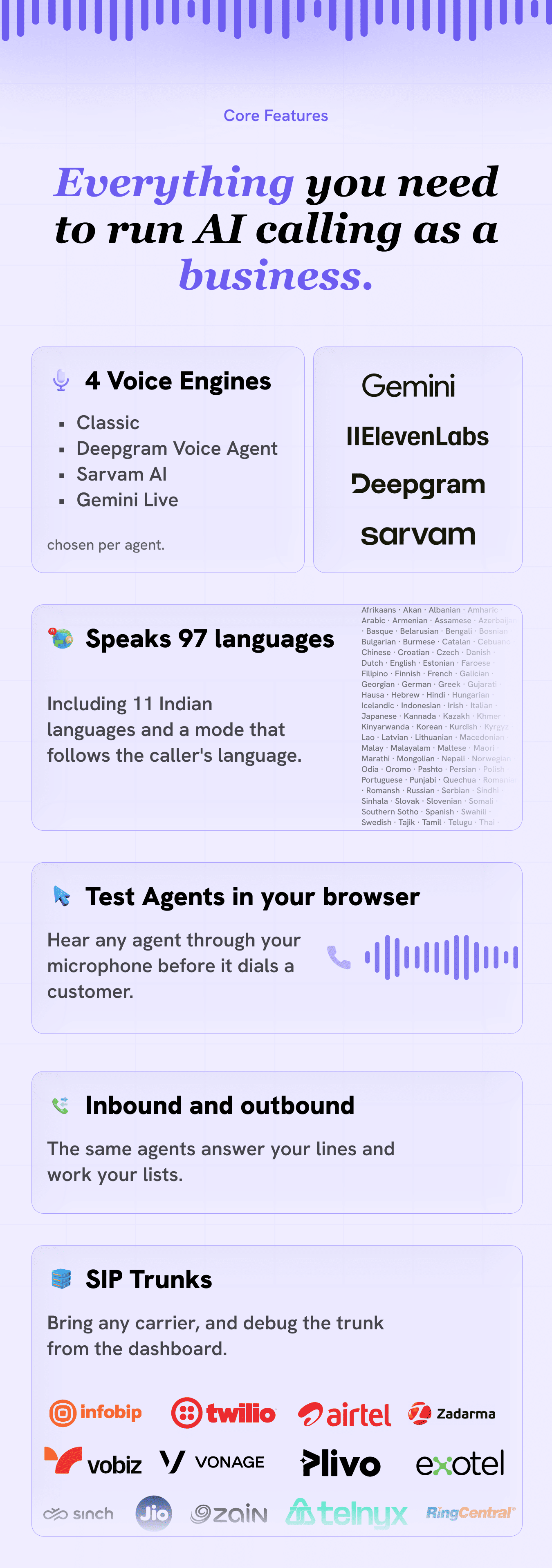
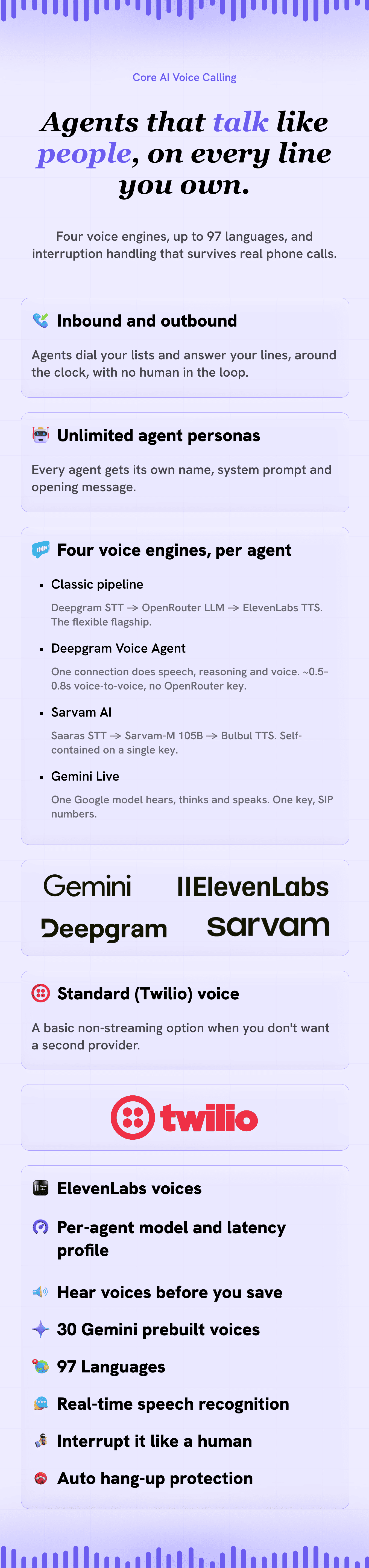
- Choose a voice engine per agent — Classic pipeline, the low-latency Deepgram Voice Agent, or Sarvam AI for native Indian languages
- Run agents in Indian languages (Hindi, Tamil, Telugu, Bengali, Kannada, Marathi and more) on a single Sarvam key
- Personalize every call with custom contact fields (merge tags like
{{appointment_date}}) filled in per lead - Cut no-shows with automatic WhatsApp appointment reminders sent to clients
- Automate everything with n8n + REST API — a form submits, the AI calls the prospect in seconds
- Launch your own AI calling SaaS and charge clients monthly
Who this is for
- SaaS founders who want a real product to sell subscriptions, not a weekend script
- Agencies who can productize AI calling for clients under their brand
- Sales and growth teams that need qualification and booking without a call center
- Operators who want BYOK (bring your own keys) and predictable infrastructure costs

How it works: a real-world flow (step by step)
- Trigger: a prospect calls your number or your campaign dials a lead list (CSV or Google Sheets).
- Answer: the AI agent picks up with your opening message and brand voice.
- Understand: real-time speech-to-text and LLM reasoning keep the conversation on goal.
- Qualify or support: Knowledge-backed answers move the call forward.
- Book or hand off: appointments land on your calendar, clients get automatic WhatsApp reminders before the meeting, and hot leads are obvious from scoring.
- Sync: webhooks, n8n workflows, and integrations push events to your CRM, stack, or internal tools — with real-time alerts on Slack and your own WhatsApp.
- Review: recordings, transcripts, and summaries give managers proof of performance.
Try Live
Browse a live deployed instance of the platform to see how it behaves in production.
URL: https://intellicallai.wixzel.com/
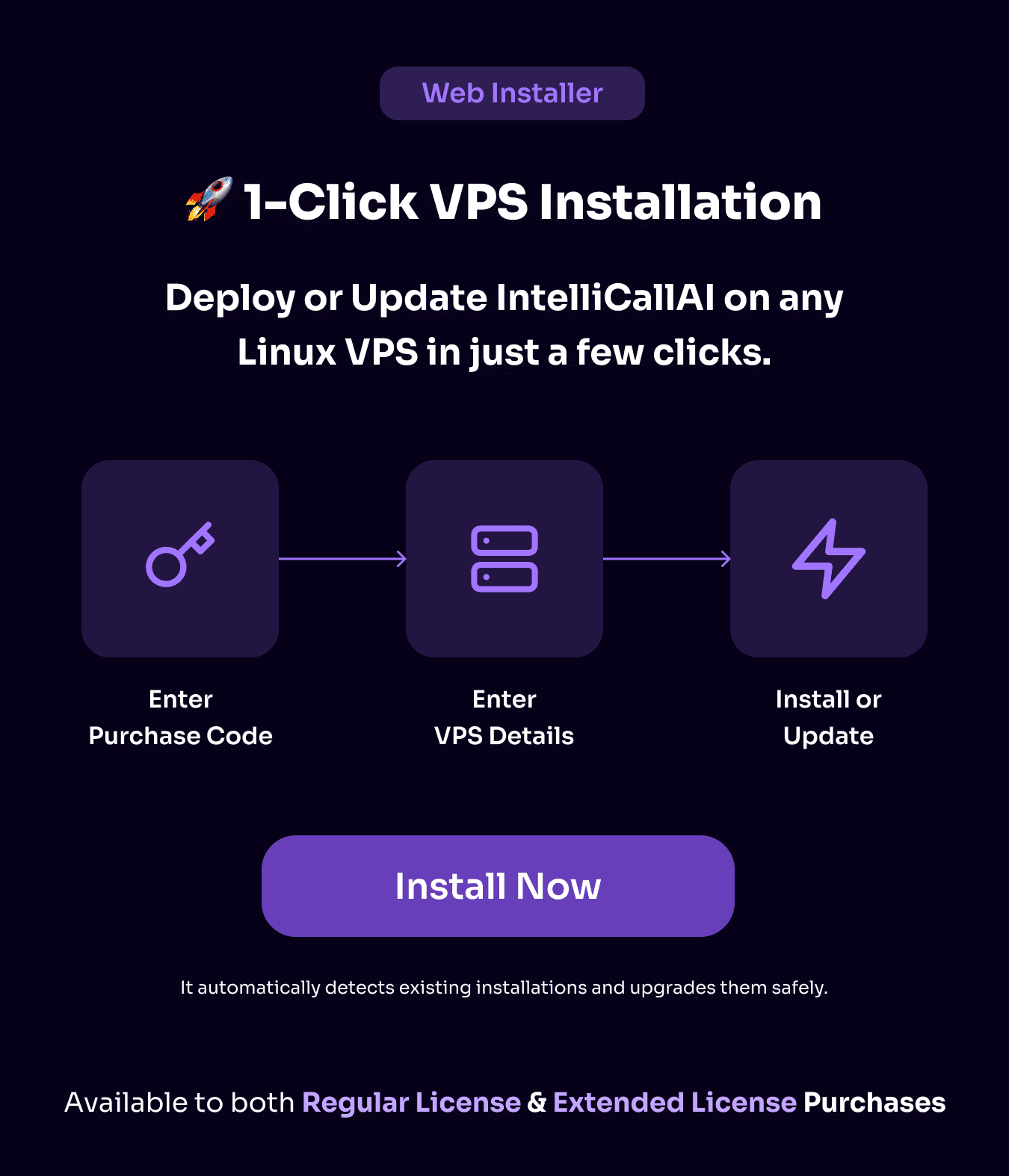
Web VPS installer
Buyers receive access to the Web VPS installer for streamlined installation and updates on your own server.
Feature highlights
Voice Quality & Conversation controls per agent — NEW in v10.9
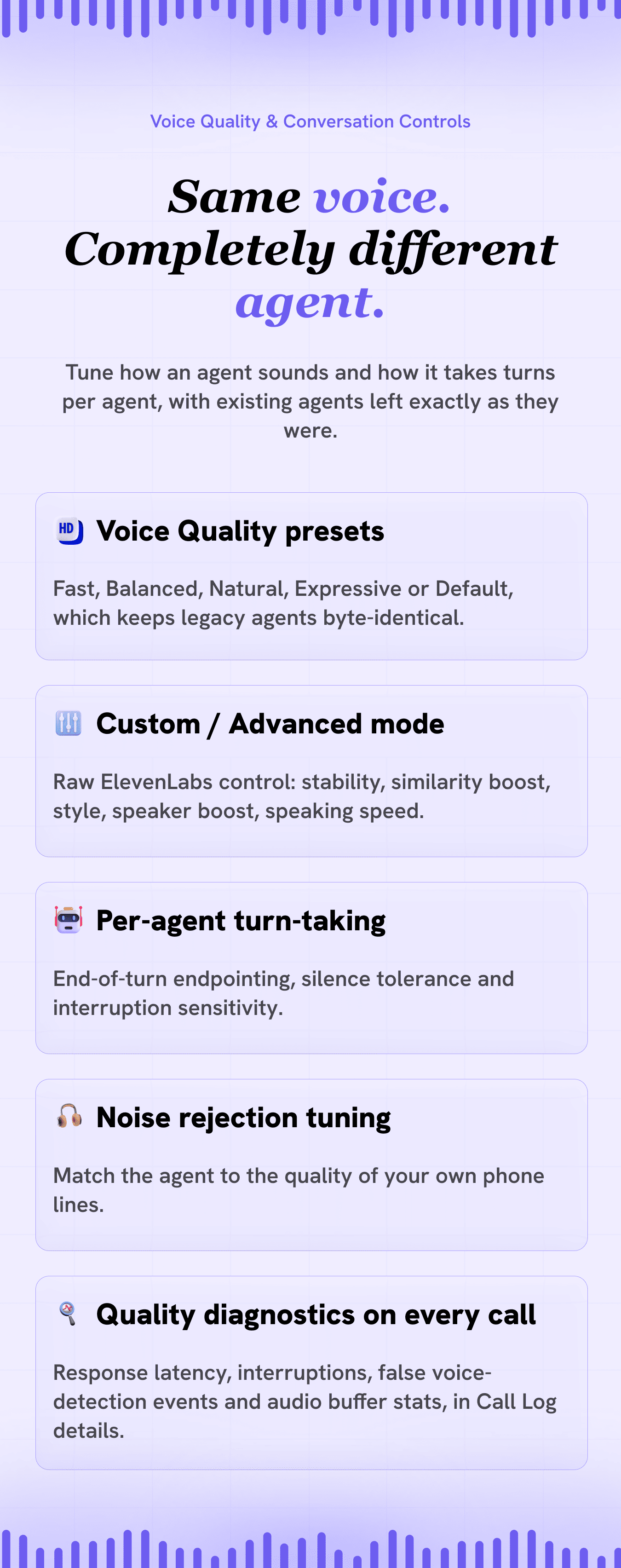
- Voice Quality presets: pick Fast, Balanced, Natural or Expressive per agent — the same ElevenLabs voice can sound like a warm receptionist on one agent and a confident sales rep on another
- Custom / Advanced mode: the raw ElevenLabs per-call controls — stability, similarity boost, style, speaker boost and speaking speed, plus the ElevenLabs model (Turbo v2.5, Flash v2.5 or Multilingual v2) and a latency profile that trades response speed against voice quality
- Turn-taking controls: tune end-of-turn silence, silence tolerance and interruption sensitivity per agent, with built-in protection against false interruptions from coughs and line noise
- More natural speech in every language: prosody-aware speech buffering sends complete clauses to the voice engine instead of cutting at every comma — audibly better intonation, especially in Spanish and other Romance languages
- Voice Quality diagnostics: every call records response latency, interruptions, false voice-detection events and audio buffer stats — visible in Call Log details
- Fully backwards compatible: the Default preset keeps existing agents sounding exactly as before — everything is opt-in, per agent
Multilingual dashboard with full RTL support
- The dashboard and admin panel ship in 5 languages — English, Spanish, French, German and Arabic — switched from the header, with no page reload and nothing lost from a half-filled form
- Full right-to-left support for Arabic: the sidebar moves to the right and the whole layout, tables, menus and drawers mirror, with an Arabic font applied automatically, while phone numbers and email addresses stay readable inside Arabic text
- Every user picks their own language and it is saved to their account, so it follows them to any device they sign in on
- Add your own language without touching code copy the English translation folder, translate it, add one line of config. Anything you leave untranslated falls back to English, so a partly finished language still gives you a working dashboard
- This is the language of the interface — the language your AI agents speak on a call is still chosen per agent
Multiple voice engines — choose per agent — NEW in v10
- Classic pipeline: Deepgram STT → OpenRouter LLM → ElevenLabs TTS, now with a latency tune-up for noticeably faster, more natural back-and-forth
- Deepgram Voice Agent: a single connection handles speech recognition, the LLM, and voice synthesis with server-side turn-taking for roughly 0.5–0.8s voice-to-voice responses — keeps your selected ElevenLabs voice and needs no OpenRouter key (Deepgram-managed LLM)
- Sarvam AI: a fully self-contained pipeline purpose-built for Indian languages (see below)
- Pick the engine right in the agent editor — existing agents are unaffected until you switch them
Native Indian-language agents with Sarvam AI — NEW in v10
- Speech, reasoning, and voice run entirely on Sarvam AI (Saaras STT → Sarvam-M LLM → Bulbul TTS) — built for Indian languages and accents
- Pick a Sarvam language (Hindi, Bengali, Gujarati, Kannada, Malayalam, Marathi, Odia, Punjabi, Tamil, Telugu, or Indian English) and a Sarvam voice per agent, with an in-editor voice preview
- Fully self-contained — agents on this engine need only a single Sarvam API key (no Deepgram, ElevenLabs, or OpenRouter). Works on both Twilio and SIP/Asterisk and supports appointment booking
Custom contact fields — personalized calls — NEW in v10
- Add any custom fields to a lead (e.g.
appointment_date,service_type) from the Add / Edit Lead dialog or automatically by CSV import - Reference them anywhere in an agent's Opening Message or System Prompt as merge tags like
{{appointment_date}}— filled in per call, so the AI knows each lead's details for the whole conversation, not just the greeting - Works across the classic and Deepgram Voice Agent engines, on Twilio and SIP — ideal for appointment-confirmation and reminder calls
Completely redesigned landing page — NEW in v10
- A bold, minimal marketing homepage: full-screen sections that alternate your brand primary color with a clean light/dark base, an animated background grid, floating geometric parallax shapes, watermark typography, and smooth scroll-reveal motion
- Feature spotlights with live UI mockups, full dark-mode support, automatic adoption of your custom brand color and app name, and an admin-toggleable self-hosting section
Human-like TTS, premium STT, multilingual agents
- Natural voice output and low-latency transcription for fluid back-and-forth
- Multilingual voice agents with broad language coverage for global campaigns
Leads and AI agents
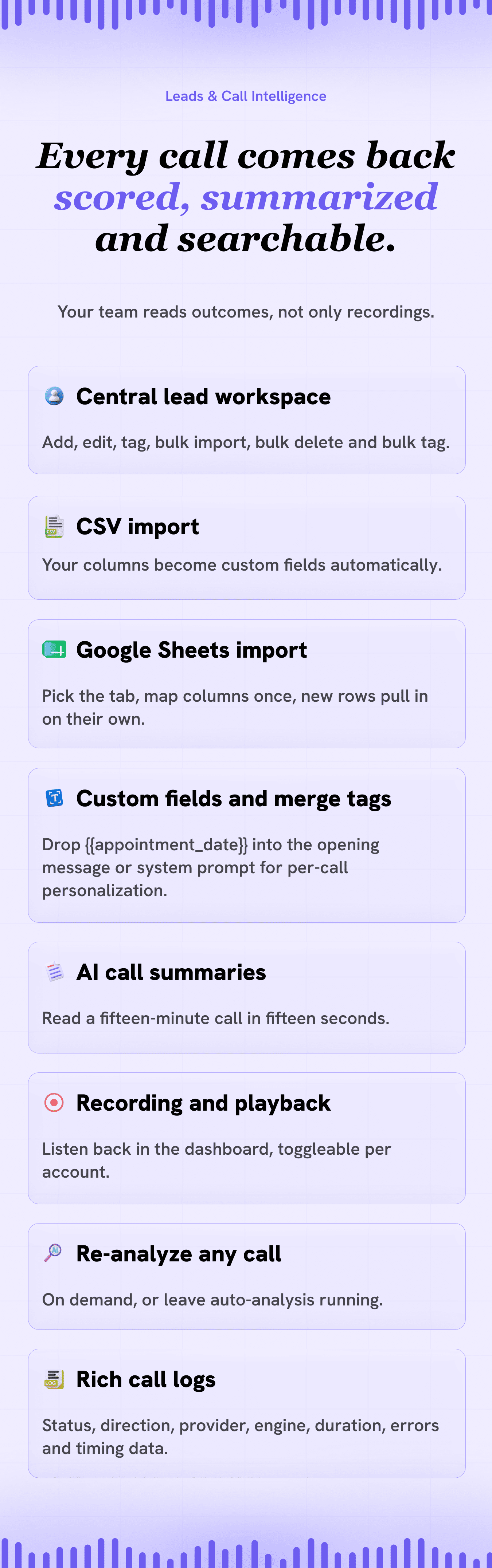
- Central lead workspace with fields, tags, and automation-friendly data
- Create and manage agents for inbound, outbound, and mixed use cases
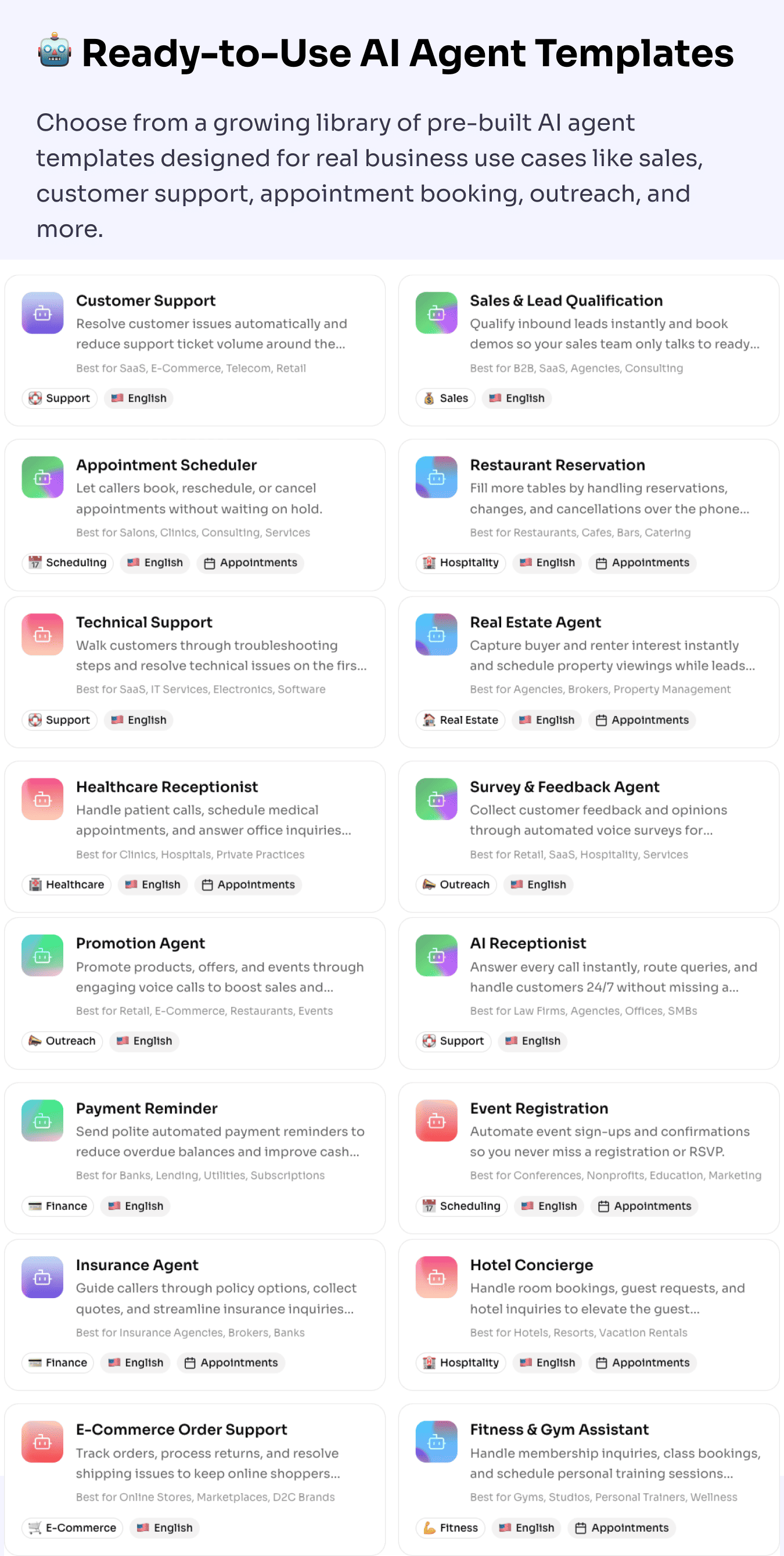
Ready-to-use AI agent templates
- Start from sales, support, scheduling, healthcare-style, and other category templates
- Pre-filled prompts and settings so you launch agents in minutes, not days
Appointment booking and knowledge-powered agents
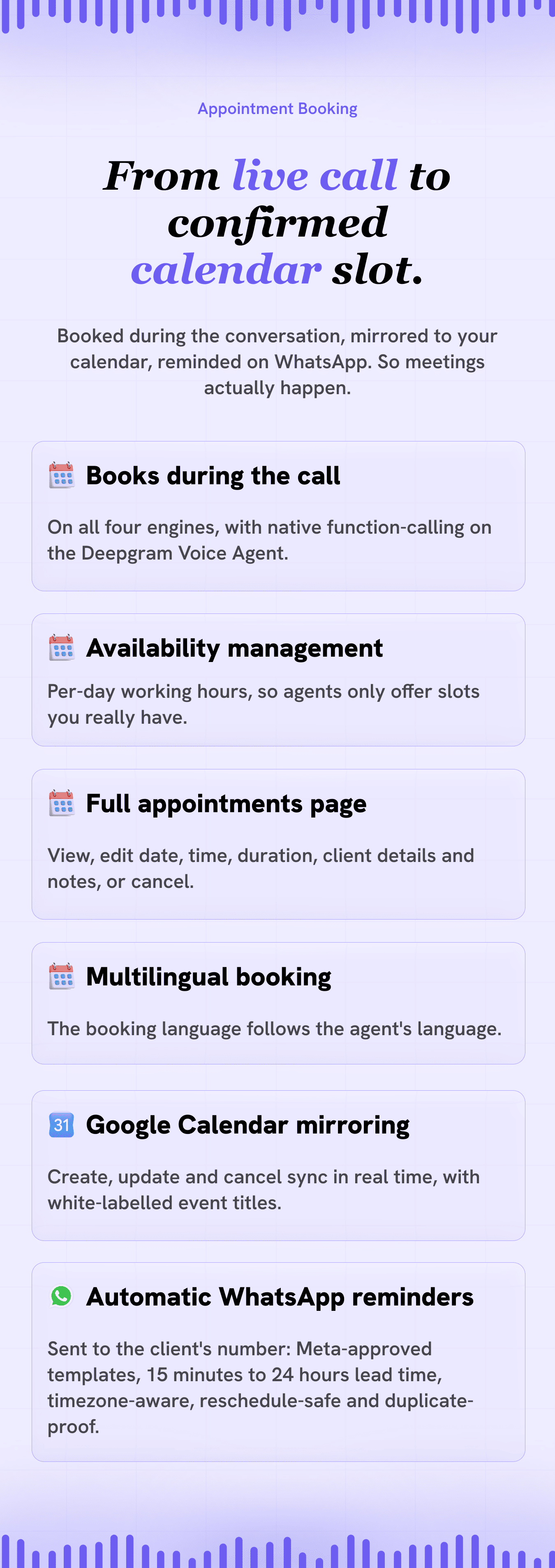
- Book meetings directly from live calls when it makes sense for your workflow
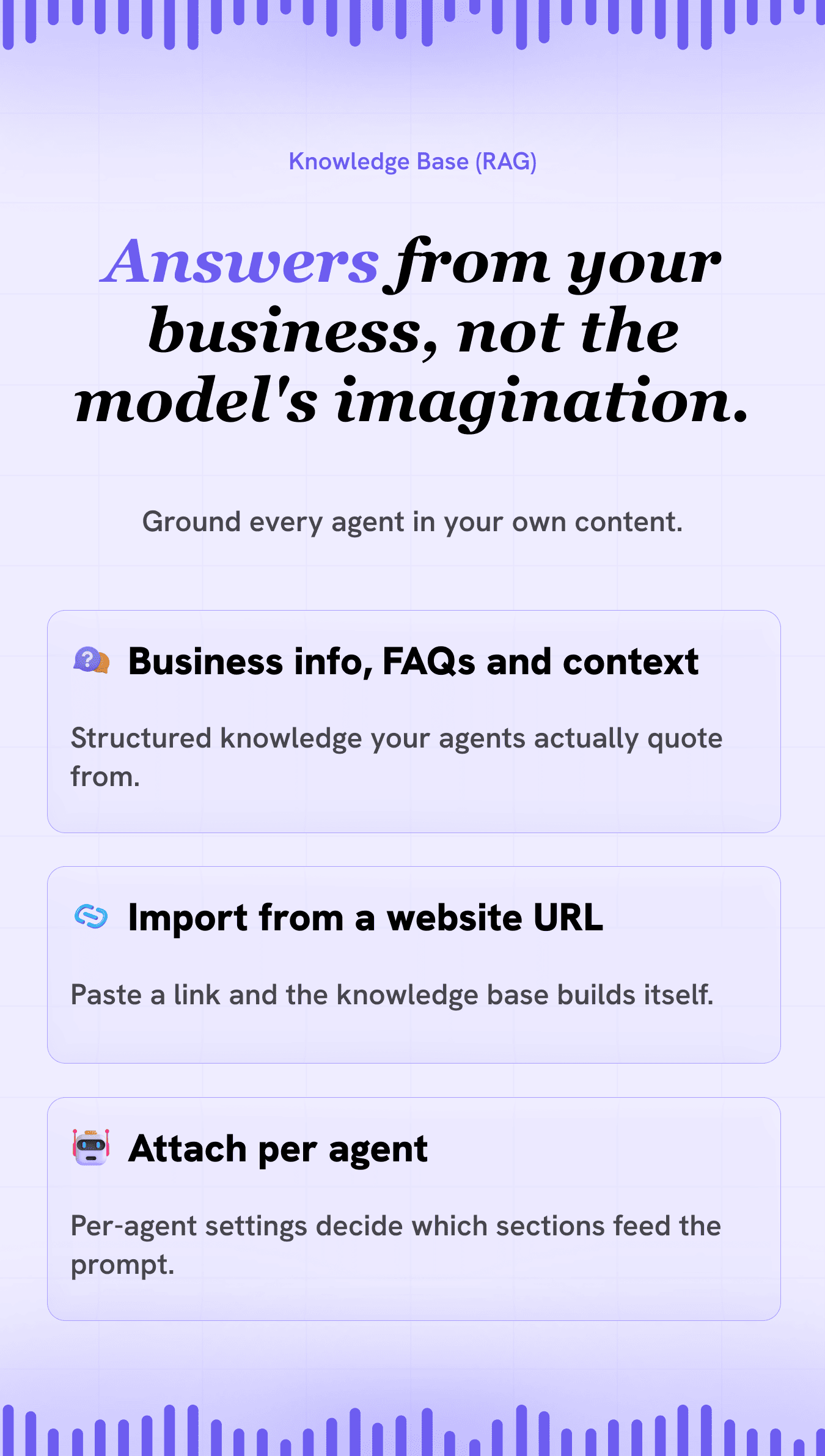
- Knowledge bases (RAG-style) ground answers in your content, not generic guesses
WhatsApp notifications and client appointment reminders
- Real-time alerts on your own WhatsApp — leads, calls, campaigns, and appointments, with per-event toggles
- Automatic WhatsApp reminders to the client’s number before every appointment — template-based (Meta-approved), timezone-aware, and reschedule-safe, so booked meetings actually happen
n8n automation and API access
- Stream every event into n8n and automate with 400+ apps — includes 3 ready-made workflow templates
- Personal API keys with a built-in API reference — instant AI callbacks via
POST /api/calls/dial, leads, campaigns, appointments, and call intelligence from any external tool
Smart hang-up protection and automated campaigns
- Protect runaway call duration on inbound and outbound traffic
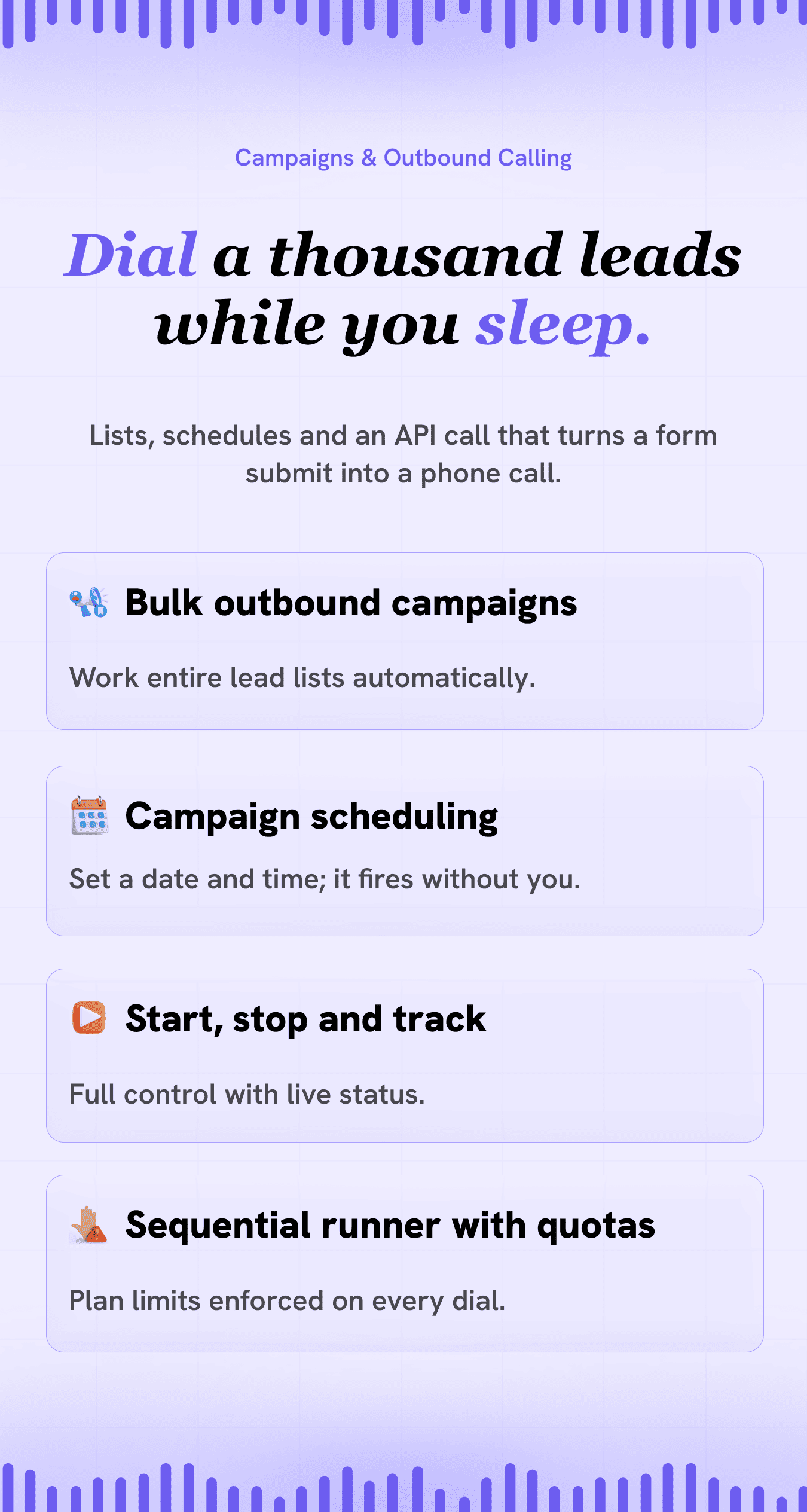
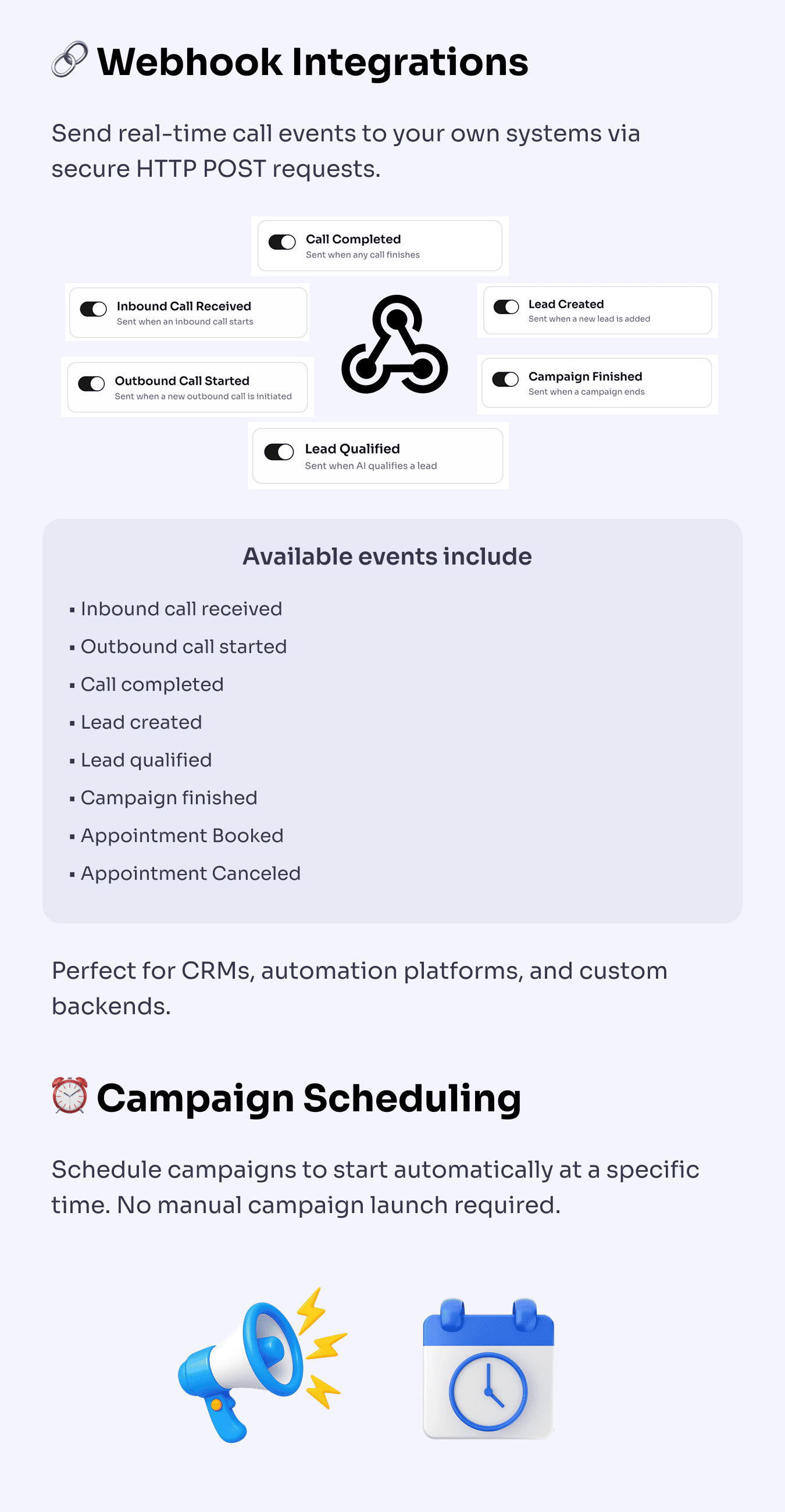
- Schedule and run campaigns automatically at the times you define
SIP trunk support and email notifications
- Connect your own VoIP / SIP provider alongside standard telephony options
- Email alerts for the events that matter to your business
Webhooks and campaign scheduling
- Fire webhooks into CRMs, automation tools, or internal systems
- Run outreach on a schedule without manual babysitting
Inbound handling, multiple numbers, Google Sheets
- Dedicated inbound flows so every line has a purpose
- Import leads from Google Sheets for fast campaign starts
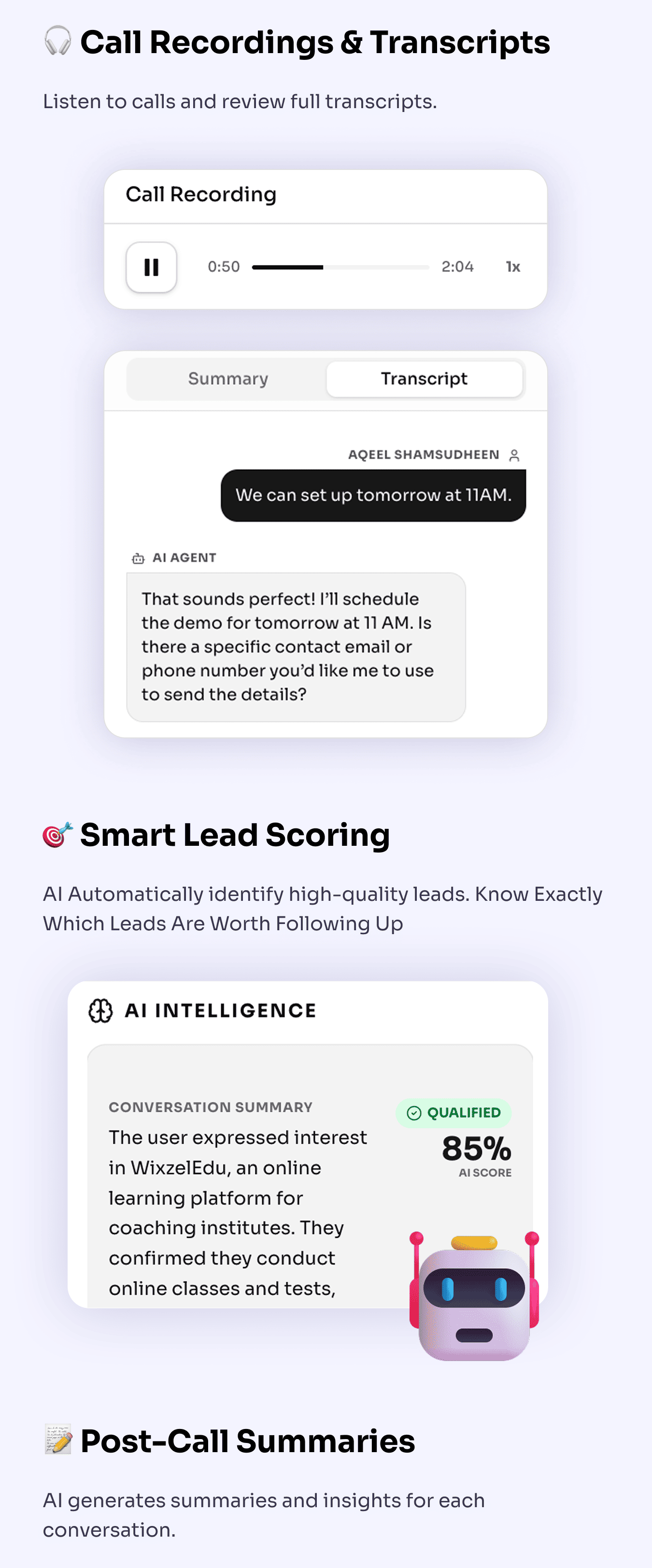
Recording, transcripts, scoring, and summaries
- Record calls and read transcripts for compliance and coaching
- Automatic summaries and lead scoring so managers see what closed (or what did not)
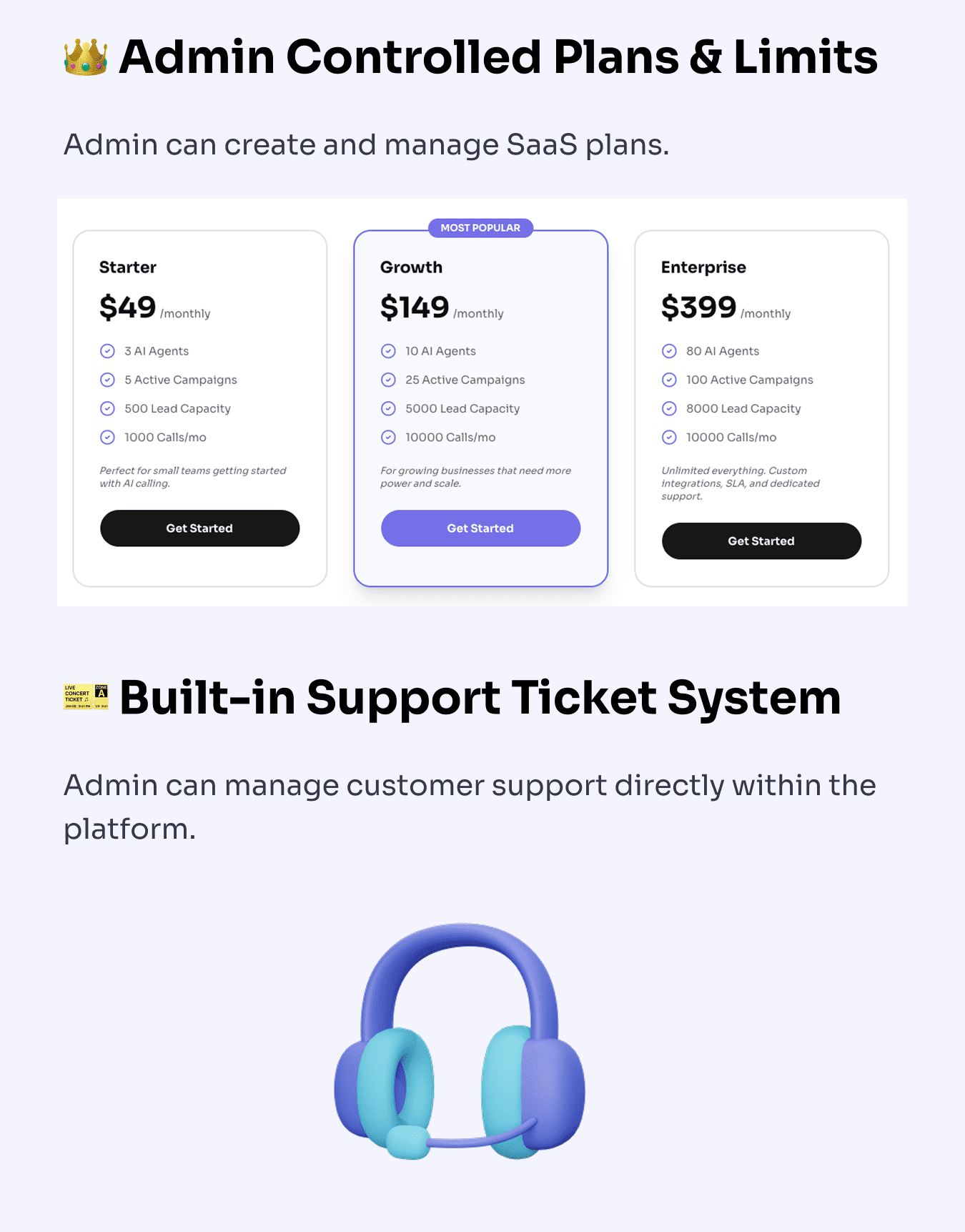
Admin plans, limits, and built-in support tickets
- Define what each subscription tier can do (agents, campaigns, leads, monthly calls)
- Built-in ticketing so SaaS operators can support end customers in one place
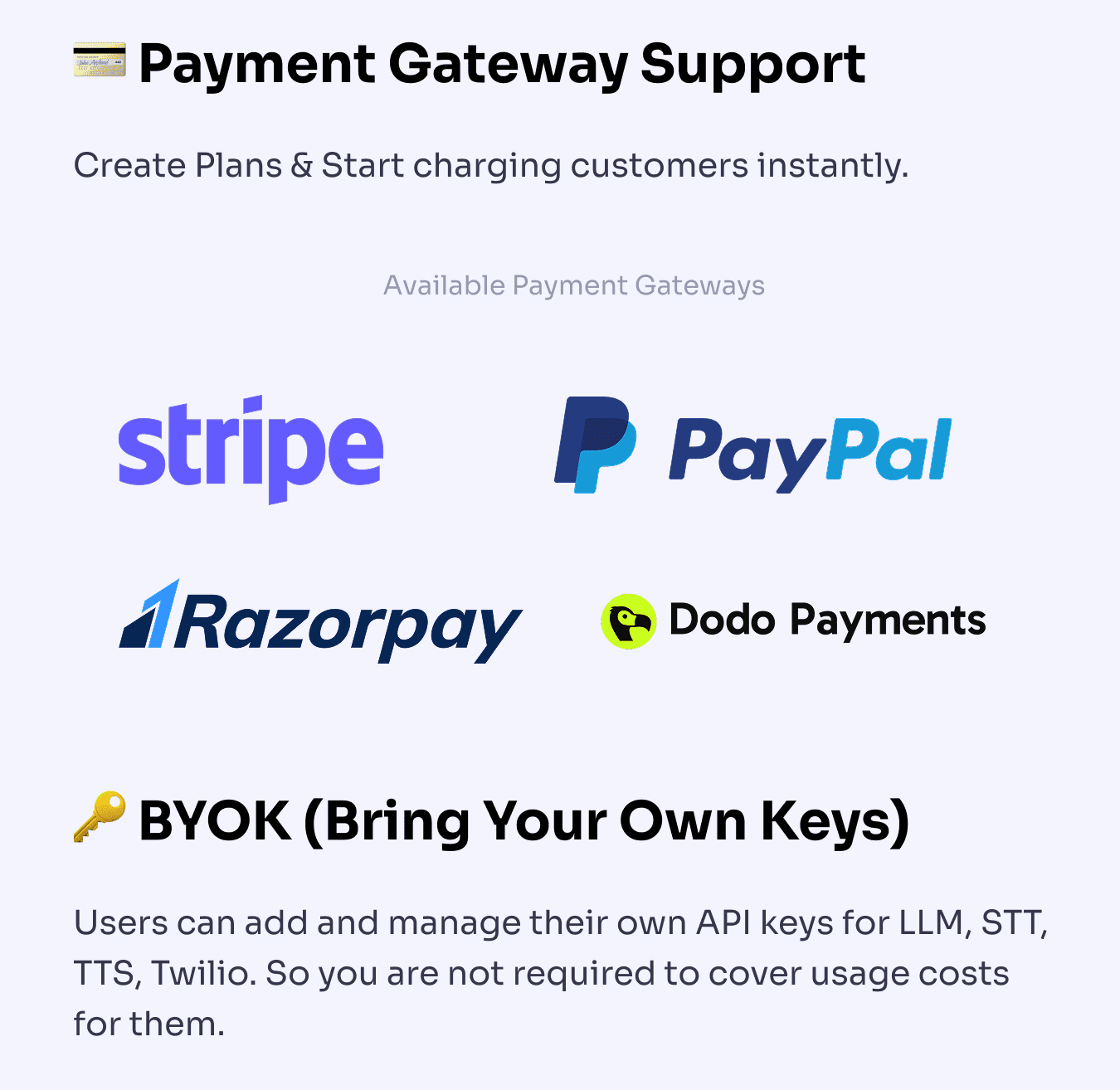
Payment gateways and BYOK
- Connect major payment gateways for subscription revenue
- Bring your own API keys for telephony, speech, and models so costs track your usage
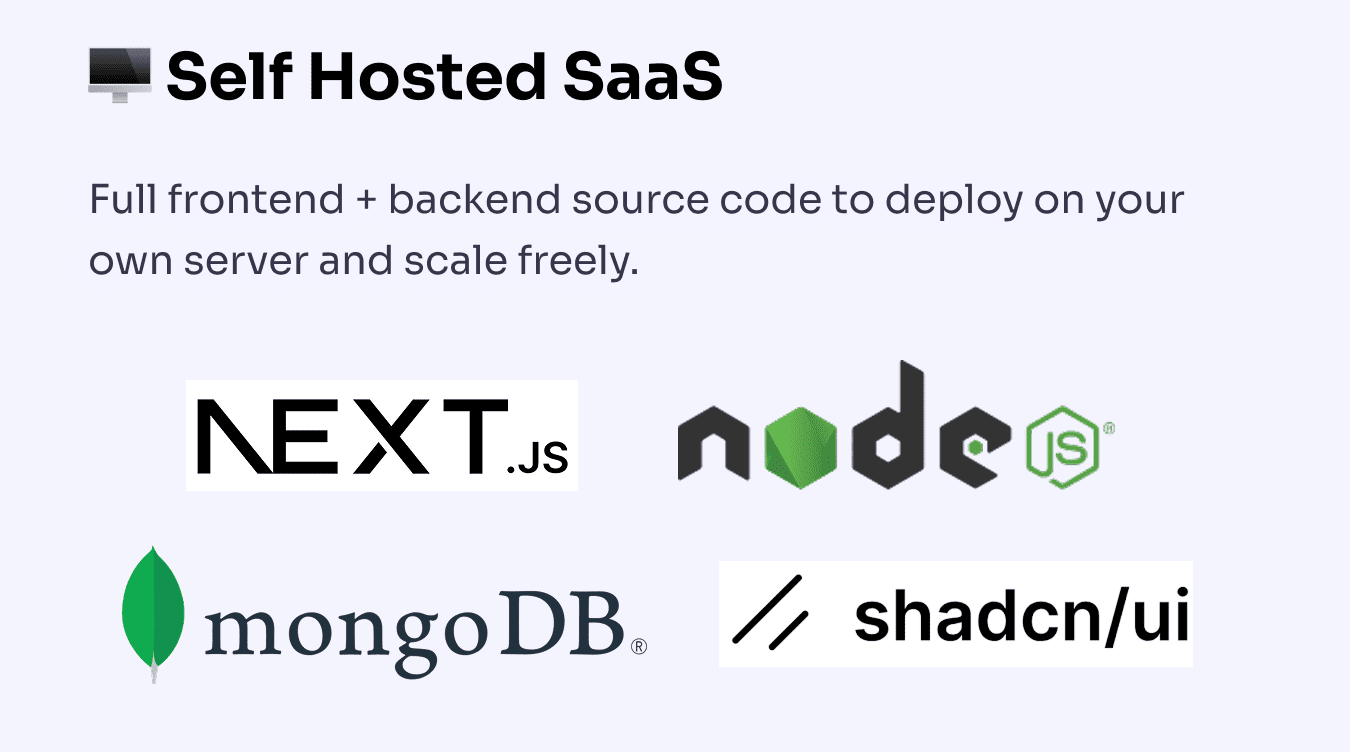
Self-hosted SaaS
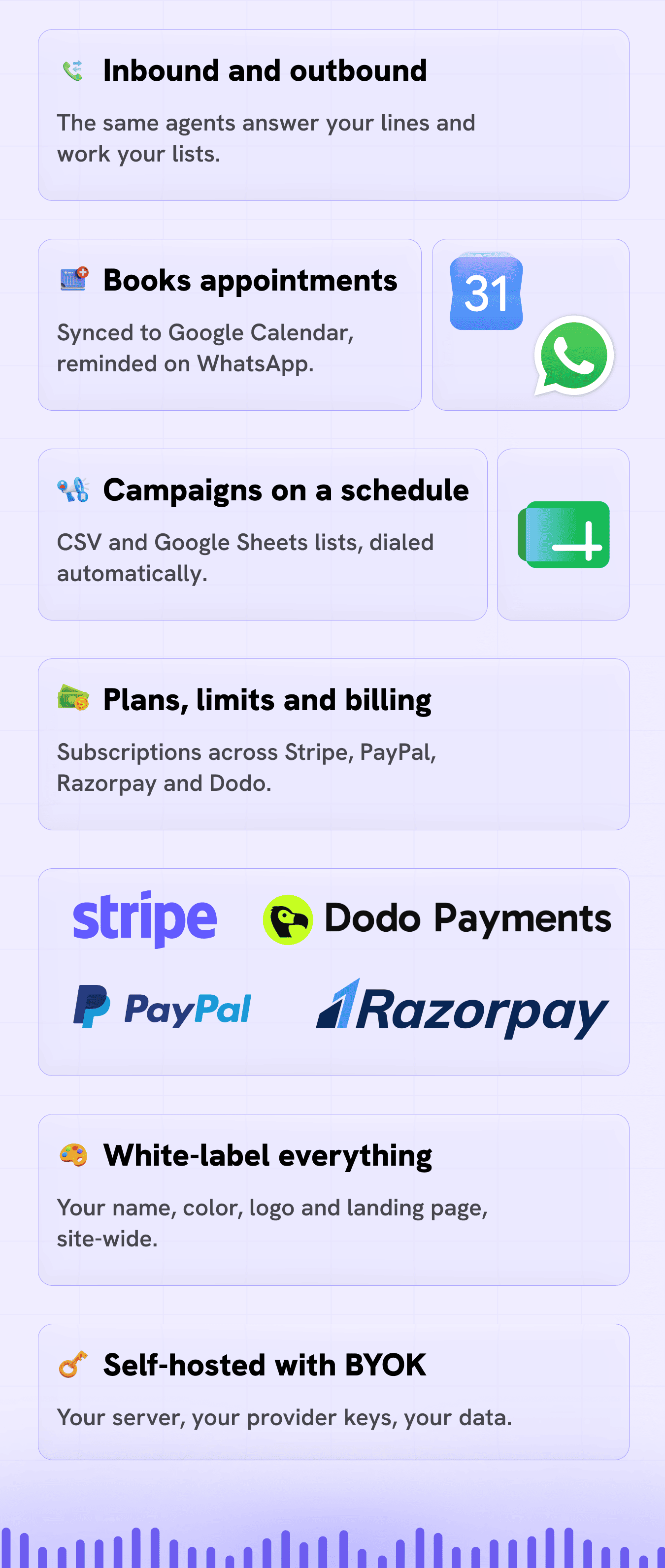
- You control hosting, data, and branding
- Designed for operators who want ownership, not a black-box API-only toy
Key features (detail)
Voice and AI stack
- Per-agent voice engine: choose Classic pipeline (Deepgram + OpenRouter + ElevenLabs), the low-latency Deepgram Voice Agent (single-connection STT + LLM + TTS, ~0.5–0.8s voice-to-voice), or Sarvam AI for native Indian languages — set on each agent
- Human-like voice (TTS): integration with ElevenLabs for realistic output; Twilio Voice options where you choose them; Bulbul voices on the Sarvam engine
- Real-time understanding (STT): Deepgram for fast, accurate speech-to-text (Saaras on the Sarvam engine)
- LLM via OpenRouter: use leading models (OpenAI, Anthropic, and others available through OpenRouter) for conversation logic — or a fully managed LLM on the Deepgram Voice Agent and Sarvam engines (no OpenRouter key needed for those)
- Indian-language support (Sarvam AI): Hindi, Bengali, Gujarati, Kannada, Malayalam, Marathi, Odia, Punjabi, Tamil, Telugu, and Indian English — self-contained on a single Sarvam key
- Agents and templates: unlimited agent personas plus ready-made templates across categories (sales, support, scheduling, and more) with multi-language options and custom contact fields (merge tags) for per-lead personalization
Knowledge-powered responses
- Knowledge bases: supply FAQs and structured business context so agents stay on-brand and factual
- Pairs with your prompts for support, sales, and booking scenarios
Campaigns and telephony
- Bulk outbound dialing: import leads via CSV or Google Sheets and launch campaigns
- Campaign scheduling: run at the times you configure
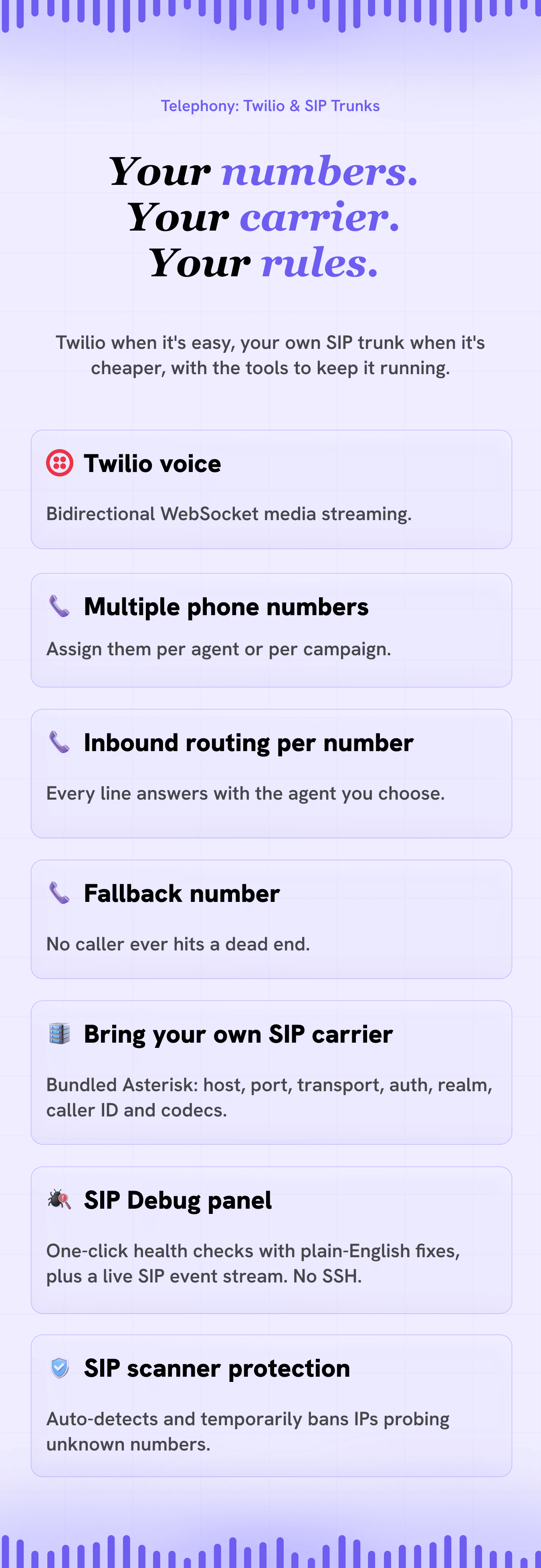
- Multiple phone numbers: assign numbers to agents or campaigns
- Inbound and outbound: reuse the same agents across both directions
- SIP trunks: connect alternative carriers and VoIP infrastructure
Leads, analytics, and call intelligence
- Smart lead management: tags, statuses, custom fields, and dynamic variables
- Post-call intelligence: AI summaries your team can scan in seconds
- Auto-qualification: scoring to surface hot leads fast
- Live transcripts and call recording with a built-in player
SaaS monetization and administration
- Plans and limits: agents, campaigns, leads, and monthly call caps (including unlimited- or limited-call style plans)
- Payment gateways: Stripe, PayPal, Razorpay, Dodo Payments (configure what you need)
- Trial limits: admin-configurable trial behavior for onboarding
- Branding: app name, primary color, logos, favicon, and landing experience tuned for your market
- Check for updates: see when a newer IntelliCall AI build is available
- Support tickets: included for SaaS-style operations
Enterprise-grade security and UI
- Google OAuth 2.0 plus email and password flows
- RBAC: roles for admins and members
- Modern dashboard: responsive layout with dark mode for daily operations
Integrations and extensibility
- Native one-click integrations (per-user):
- n8n — NEW: stream every platform event into n8n workflows and automate with 400+ apps — leads to any CRM, call logs to spreadsheets, alerts anywhere. Paste your Webhook node URL, toggle events, send a test. Ships with 3 importable workflow templates, including the headline recipe: form submitted → the AI calls the prospect within seconds via the new instant-dial API
- WhatsApp (Meta Cloud API) — NEW: real-time alerts on your own WhatsApp — lead created, lead qualified, call completed, appointment booked / canceled, campaign completed — with per-event toggles. Plus automatic appointment reminders sent to the client’s WhatsApp before every meeting: powered by Meta-approved message templates, timezone-aware, reschedule-safe, with a configurable lead time (15 minutes to 24 hours) and built-in test buttons. Each user connects with their own Meta credentials — no platform-level app setup, works on any install out of the box
- HubSpot CRM: every new lead automatically syncs as a HubSpot contact, matched by phone number so existing contacts are updated in place — never duplicated
- Google Calendar: booked appointments mirror to the user's calendar in real time, with edits and cancellations syncing automatically. Event titles carry your white-label app name
- Google Sheets: import leads from any spreadsheet and keep them in sync — pick the tab, map columns once, and the Leads page auto-pulls new rows on load
- Slack: one-click "Add to Slack" sends real-time notifications to any channel — lead created, lead qualified, call completed, appointment booked / canceled, campaign completed, and more, with per-event toggles
- Centralized Integrations management: a redesigned Integrations tab with sidebar navigation — every connector listed with its logo and a live connection-status indicator, one card in focus at a time. Each end user manages their own connections — tenants are fully isolated by per-user credentials and OAuth tokens
- Admin → Integrations panel: super admins configure OAuth Client IDs, Secrets, and Callback URLs for HubSpot and Slack directly from the dashboard. No
.envediting, no backend restarts required — credentials are read fresh on every OAuth request - Webhooks: sync events to CRMs, automation platforms, or internal tools — with HMAC-SHA256 signed payloads and per-event toggles
- REST API with personal API keys — NEW: every user can generate a revocable API key and drive the platform from outside — create leads, start campaigns, book appointments, pull transcripts, or trigger an instant AI call (
POST /api/calls/dial). A built-in API reference with copy-ready curl examples lives right in the dashboard - BYOK providers (choose your stack):
- Voice: Twilio and/or SIP trunks
- STT: Deepgram (Saaras on the Sarvam engine)
- TTS: ElevenLabs or Twilio Voice (Bulbul on the Sarvam engine)
- AI models: via OpenRouter, or a managed LLM on the Deepgram Voice Agent / Sarvam engines
- Indian-language voice: Sarvam AI (single self-contained key)
- Messaging: WhatsApp via Meta Cloud API
- More integrations rolling out: Zapier, GoHighLevel, and Zoom auto-meeting links on the near-term roadmap
Perfect for SaaS and agencies
- Run IntelliCall AI as your hosted product with your branding
- Package tiers, enforce limits, and grow MRR with subscriptions
- Deliver AI calling as a managed service to clients (where your license allows)
- Use the built-in support ticket system for customer care
- Extended License: sell access as a service under your brand per Envato terms
Important notice (external service costs)
IntelliCall AI is a self-hosted application that integrates with third-party services such as Twilio, ElevenLabs, Deepgram, Sarvam AI, and OpenAI (via OpenRouter). The purchase price of this item does NOT include any credits, subscriptions, or usage costs for these external services. Buyers are required to create their own accounts and pay separately for usage based on their needs and volume. Pricing varies by provider.
Self-hosting with BYOK means you stay in control of providers and can optimize spend for your volume - but those provider bills are separate from the license price.
The tech stack
- Backend: Node.js and Express 5 (streaming-friendly API architecture)
- Frontend: Next.js 16, React 19, Tailwind CSS, modern UI components
- Real-time audio: Twilio WebSockets and bidirectional media streaming
- Optional SIP: Asterisk-oriented integration path for SIP trunk scenarios
- Database: MongoDB for users, leads, calls, and configuration
- Authentication: Passport.js with Google OAuth, email and password, and JWT
What’s in the box?
- Complete backend source code (Node.js / Express)
- Complete frontend source code (Next.js / React)
- Full documentation (interactive QuickStart.html with visual guides)
- Ready-made n8n workflow templates (instant call, Sheets logging, CRM push)
- Environment templates (
.env.example)
Start building your AI calling system today. Capture more leads. Close more deals. Scale faster.
Frequently Asked Questions (FAQ)
See FAQ Section in support page.CHANGELOGS
Version 11.6 | 29 August 2026
- NEW: HubSpot connects with a service key created in your own HubSpot account — no developer app, no app registration, no callback URL
- NEW: Service keys are verified on save, naming the exact missing scope rather than failing silently at sync time
- IMPROVEMENT: Existing HubSpot OAuth connections keep working unchanged, with nothing to reconfigure after upgrading
- FIX: OAuth callbacks now resolve as HTTPS behind a reverse proxy, clearing invalid redirect URL errors on HubSpot, Slack, Google Calendar and Google Sheets
- FIX: The dashboard now ships .env.example, so the documented setup step works on a fresh install
- NOTE: HubSpot ended new public app creation on 23 June 2026 — service keys are the supported path for new installs
Version 11.5 | 29 August 2026
- NEW: Human Transfer — AI agents can now hand live callers to an authorised person or department
- NEW: Configure multiple transfer destinations per agent, each with its own name and phone number, plus a default destination
- NEW: Failed or unanswered transfers return the caller to the same agent with the conversation context preserved
- NEW: Configure ring times and maximum transfer attempts per agent
- NEW: Transfer activity is recorded in Call Logs, including destination, outcome, ring duration, human talk time, and failure reason
- NEW: "Caller Transferred" and "Transfer Failed" notification events for Webhooks, Slack, WhatsApp and n8n
Version 11.0 | 28 August 2026
- NEW: Gemini Live voice engine — one Google model hears, thinks and speaks on the call, so replies come back fast and sound genuinely conversational; selectable per agent on SIP numbers
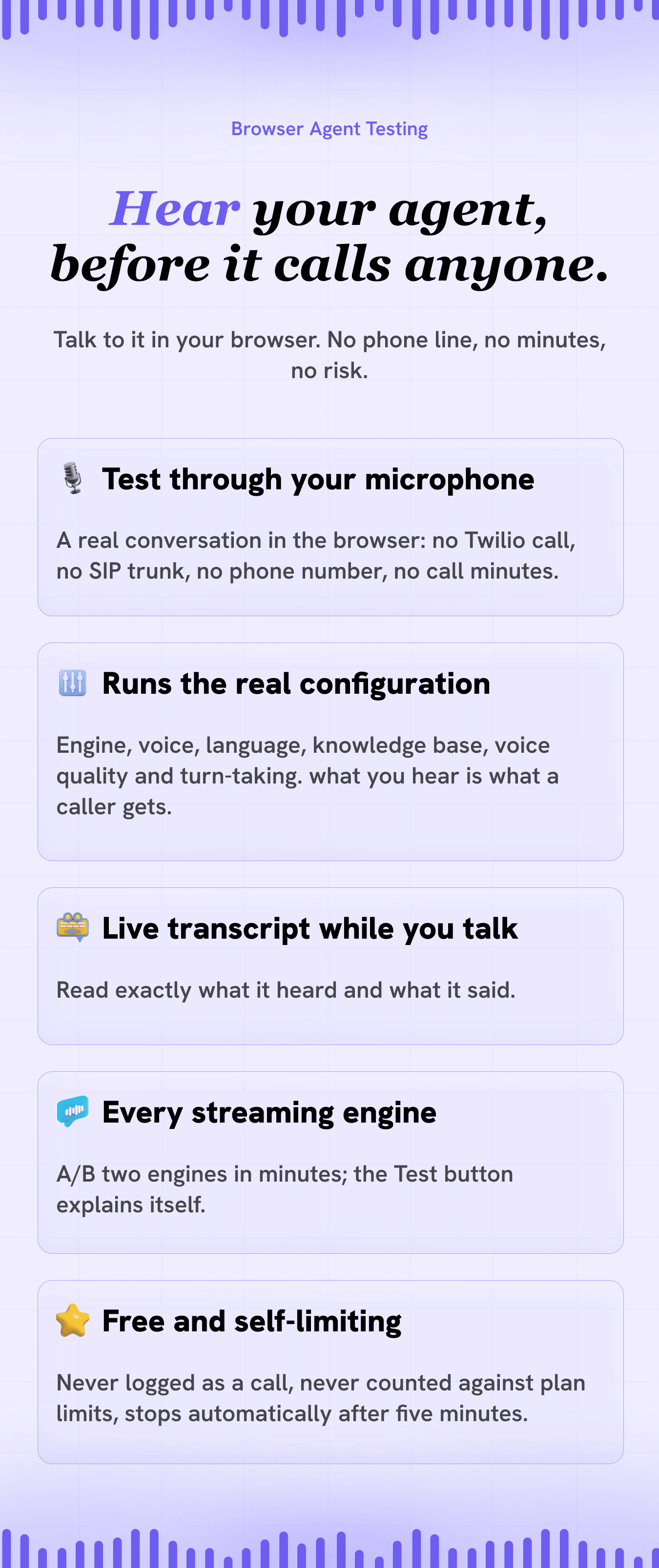
- NEW: Test any agent live in your browser — click Test on the AI Agents page, talk to the agent through your microphone, and hear exactly how it sounds before it ever calls a customer
- NEW: Live transcript alongside the conversation, so you can read what the agent heard and said while you talk to it
Version 10.9 | 28 August 2026
- NEW: Voice presets for Fast, Balanced, Natural and Expressive speech
- NEW: Advanced ElevenLabs voice, model and latency controls
- NEW: Custom turn-taking and interruption controls
- IMPROVEMENT: More natural multilingual speech and intonation
- IMPROVEMENT: Updated ElevenLabs latency controls
- NEW: Voice quality diagnostics in Call Logs
- NEW: Per-agent ElevenLabs model selection
Version 10.8.2 | 27 August 2026
- NEW: Dial Prefix field for SIP trunks — wholesale carriers that route on a technical prefix (e.g. 999 in front of the number) can now be used for outbound calls; enter the prefix your carrier gave you and IntelliCall dials it exactly the way they expect
- IMPROVEMENT: The Dial Prefix field is empty by default, so every existing trunk keeps dialling exactly as before — only fill it in if your carrier documents a prefix
Version 10.8.1 | 27 August 2026
- FIX: On SIP calls, agent replies longer than about 10 seconds could have a chunk silently cut out of the middle, and playback could sound rushed or skip parts of sentences — buffered speech is no longer discarded, and playback now stays in step with the call for replies of any length
- FIX: Applied the same fix to every SIP voice engine — ElevenLabs (Classic) and Deepgram Voice Agent now use the corrected audio buffering that Sarvam agents received in v10.7
- IMPROVEMENT: Long replies are buffered up to 60 seconds instead of 10, and the limit is now configurable with SIP_RTP_MAX_QUEUE for unusually long agent responses
- IMPROVEMENT: Removed two unused installer scripts that were not part of the documented setup process
Version 10.8 | 25 August 2026
- NEW: The dashboard and admin panel are now available in 5 languages — English, Spanish, French, German and Arabic — covering every screen, button, form and notification your team sees
- NEW: Language switcher in the dashboard header, next to the light/dark toggle — the interface changes instantly, and anything half-typed into a form is kept
- NEW: Full right-to-left support for Arabic — the sidebar moves to the right and the whole layout, tables, menus and drawers mirror, with an Arabic font applied automatically
- NEW: Every user picks their own dashboard language and it is saved to their account, so it follows them to any device they sign in on — also available under Settings → Preferences
- NEW: Add your own language without touching code — copy the English translation folder, translate it, and add one line of config; anything left untranslated falls back to English, so a partly finished language still works
- IMPROVEMENT: Phone numbers, email addresses and API keys stay left-to-right inside Arabic text so they remain readable
- IMPROVEMENT: Around 2,000 lines of unused code removed from the frontend, and only the language in use is sent to the browser, so extra languages don't slow the dashboard down
Version 10.7 | 24 August 2026
- FIX: Sarvam AI agents could take up to 15 seconds to answer a short reply — saying "hello" or "yes" while the agent was still speaking is now answered in about a quarter of a second
- IMPROVEMENT: Sarvam agents now use Sarvam's realtime speech recognition, which returns words while the caller is still speaking — agents fall back automatically if your Sarvam account isn't enabled for it
- IMPROVEMENT: Interruptions now work from what the caller actually said rather than raw sound level — coughs, line noise and background TV no longer cut the agent off, while brief replies like "okay" or "haan" let it finish and are still answered afterwards
- FIX: On SIP calls, Sarvam replies longer than about 10 seconds could have a chunk silently cut out of the middle — buffered speech is no longer discarded, and playback no longer drifts out of sync on long calls
- IMPROVEMENT: Faster first word from Sarvam agents, and the voice connection is restored in the background after an interruption
- NEW: Optional voice-tuning settings for noise rejection and interruption sensitivity, so agents can be tuned to your own phone lines
- NEW: Sarvam preflight check to confirm your Sarvam account is set up correctly for voice calling before you place a call
- FIX: The backend environment template (.env.example) was missing from the v10.5 and v10.6 downloads — restored, and now documents every setting the backend reads
Version 10.6 | 24 August 2026
- FIX: HubSpot connect could fail with "code challenge parameter is missing" — HubSpot's OAuth now includes PKCE (RFC 7636) on the authorization flow
- IMPROVEMENT: Google Sheets and Google Calendar connect buttons now show a clear message instead of erroring when those integrations aren't configured on the server
- FIX: Setup script could write the wrong value into GOOGLE_CLIENT_SECRET during interactive reconfiguration
Version 10.5 | 17 August 2026
- NEW: Sarvam AI models updated — speech-to-text to Saaras v3, text-to-speech to Bulbul v3, chat to Sarvam's current 105B model; agents on deprecated models migrate automatically
- FIX: Sarvam AI voice could cut off mid-word on SIP calls — fixed, along with related causes of the agent going silent mid-reply
- IMPROVEMENT: Unified turn-taking across the Classic and Sarvam engines — brief responses like "yes" or "hmm" no longer interrupt the agent
- FIX: Deepgram Voice Agent calls could disconnect and fail to reconnect mid-call
- FIX: SIP calls could stay stuck as "In Conversation" with inflated duration after the caller hung up — hangup detection is now reliable, and duration is measured from answer time
- NEW: AI agents can now end the call themselves once the conversation is naturally over, on all three voice engines
- NEW: Idle-call detection — a connected call with no speech for 5 minutes now ends automatically
Version 10.0 | 5 July 2026
- NEW: Per-agent Voice Engine selector — pick Classic pipeline, Deepgram Voice Agent, or Sarvam AI for each agent (Agent → Voice)
- NEW: Sarvam AI voice engine for native Indian languages (Hindi, Bengali, Gujarati, Kannada, Malayalam, Marathi, Odia, Punjabi, Tamil, Telugu, Indian English) — fully self-contained (Saaras STT + Sarvam-M LLM + Bulbul TTS), needs only a single Sarvam API key, per-agent language + voice with in-editor voice preview, works on both Twilio and SIP/Asterisk and supports appointment booking
- NEW: Deepgram Voice Agent engine (low latency) — one connection handles speech recognition, the LLM, and voice synthesis with server-side turn-taking for roughly 0.5–0.8s voice-to-voice responses; keeps your selected ElevenLabs voice; needs no OpenRouter key (Deepgram-managed LLM); native function-calling appointment booking
- NEW: Custom contact fields (personalized calls) — add any lead fields (e.g. {{appointment_date}}, {{service_type}}) from the Add/Edit Lead dialog or by CSV import, then reference them as merge tags in the Opening Message and System Prompt; filled per call so the AI knows each lead's details the whole conversation (works on classic and Deepgram Voice Agent engines, Twilio and SIP)
- NEW: Completely redesigned marketing landing page — bold full-screen sections that alternate your brand primary color with a clean light/dark base, an animated background grid, geometric parallax shapes, watermark typography, smooth scroll-reveal motion, feature spotlights with live UI mockups, full dark-mode support, and an admin-toggleable self-hosting section
- NEW: Latency instrumentation — every conversation turn logs queue wait, LLM first-token, and first-audio timings so you can measure real response times
- IMPROVEMENT: Classic pipeline latency tune-up — smarter end-of-speech detection and turn-taking, ElevenLabs Flash v2.5 for non-English voices, and per-call knowledge-base caching; typical responses 300–900ms faster (about 2× faster overall)
- FIX: Registration-based SIP inbound calls addressed by the trunk username are now routed to the correct agent
- FIX: Speech transcripts were processed twice per result due to a duplicate Deepgram event handler — fixed on both the Twilio and SIP call paths
- NEW: SIP Debug panel on the SIP Trunks page — a Debug button opens Health Checks and Live Logs tabs so you can diagnose SIP/Asterisk problems from the dashboard without SSH
- NEW: Health Checks — one-click diagnostics for Asterisk ARI connection, PJSIP config written and linked, Asterisk CLI access, and per-trunk endpoint / registration / provider reachability, each failed check with a plain-English fix hint
- NEW: Live Logs — real-time stream of SIP events (outbound/inbound calls, trunk rejections with the SIP cause, originate failures, bridge/recording issues, config reloads), auto-refreshing while open
- NEW: SIP scanner protection — auto-detects and temporarily blocks source IPs that repeatedly dial unknown numbers (silent hangup), tunable via SIP_SCAN_BAN_THRESHOLD / SIP_SCAN_WINDOW_MINUTES / SIP_SCAN_BAN_MINUTES
- PRIVACY: SIP debug logs are per-user — each user sees only their own trunk and call events; superadmins see everything
- FIX: Brand primary color now applies site-wide — the Primary Color set in Admin → Branding drives the public landing page, buttons, accents, and highlights (previously saved but the landing page stayed purple)
- FIX: No stock-logo flash — the default logo and favicon are blank so the original IntelliCall branding never appears for a moment before your uploaded assets load
- FIX: Landing page header no longer changes height while the logo loads (logo renders in a fixed-size box)
- IMPROVEMENT: Reset Branding restores the original IntelliCall logos and favicon (kept under /images/originals/) in one click
Version 9.7 | 23 June 2026
- FIX: Email sending issue fixed.
Version 9.6 | 14 June 2026
- FIX: Twilio inbound webhook URL on the Phone Numbers page now displays correctly.
Version 9.5 | 11 June 2026
- NEW: n8n integration — stream all platform events (leads, calls, campaigns, appointments) into n8n workflows with per-event toggles and a send-test button
- NEW: 3 ready-made n8n workflow templates included — instant call on form submit, call log to Google Sheets, qualified lead to CRM + notify
- NEW: Personal API keys — generate, regenerate, and revoke a long-lived key (stored hashed, shown once) and call the REST API via the X-API-Key header from n8n, Zapier, or scripts
- NEW: Instant AI call endpoint (POST /api/calls/dial) — dial one number with a chosen agent right now, no campaign needed; auto-creates the lead and respects plan call limits
- NEW: Built-in API reference in the dashboard — 12 documented endpoints with parameters and copy-ready curl examples
- IMPROVEMENT: Integrations tab redesigned with sidebar navigation, per-connector logos, and live connection-status indicators
- IMPROVEMENT: OAuth redirects now auto-open the matching integration card
Version 9.0 | 11 June 2026
- NEW: WhatsApp integration powered by the Meta WhatsApp Cloud API — connect with your own Meta credentials, no platform-level app setup required
- NEW: Real-time WhatsApp notifications for lead created, lead qualified, call completed, appointment booked / canceled, campaign completed, and inbound / outbound calls — with per-event toggles
- NEW: Automatic WhatsApp appointment reminders sent to the client's number before every appointment (Meta-approved message templates, configurable lead time from 15 minutes to 24 hours)
- NEW: Reschedule-safe reminders — moving an appointment re-arms the reminder for the new time; cancellations stop it automatically; duplicate sends are impossible by design
- NEW: Timezone-aware reminder formatting — dates and times follow each account's timezone and 12/24-hour preference
- NEW: Built-in test buttons — send a sample alert or your reminder template to your own WhatsApp to verify setup before clients ever receive a message
- IMPROVEMENT: WhatsApp added to the Settings → Integrations tab and the landing page integrations showcase
Version 8.0 | 24 May 2026
- NEW: Dedicated Integrations system with unified OAuth-based connector management
- NEW: HubSpot CRM integration with automatic contact sync and phone-based upsert support
- NEW: Google Calendar integration with real-time appointment sync, updates, and cancellations
- NEW: Slack notifications for lead, call, appointment, and campaign events
- NEW: Admin → Integrations panel to manage OAuth Client IDs, Secrets, and Callback URLs directly from dashboard
- NEW: Edit appointments from the Appointments page (date, time, duration, client info, notes)
- NEW: Integrations section added to the landing page showcasing available connectors
- IMPROVEMENT: Google Sheets integration moved to unified Settings → Integrations section
- FIX: Removed Twilio configuration requirement for SIP Trunk users
Version 7.4, 7.5 | 12 April 2026
- IMPROVEMENT: Updated all packages to the latest stable versions
- NEW: Configure contact email, social media links and headquarters address from Admin Settings. (shown in landing page, contact, privacy, terms pages)
Version 7.2 | 6 April 2026
- NEW: Import Knowledge Base directly from website URL
- NEW: Add and manage testimonials from Admin Settings
- IMPROVEMENT: Revamped landing page UI/UX
Version 7.1 | 29 March 2026
- NEW: Added support for CAD (Canadian Dollar) currency
- NEW: Call direction filters (Inbound & Outbound) in Agent Templates
- FIX: Resolved issue where appointment booking language defaulted to English
Version 7.0 | 21 March 2026
- NEW: Ready-to-use AI Agent Templates (sales, support, booking, outreach & more)
- NEW: Pre-configured system prompts, opening messages, and settings for faster agent creation
- NEW: Template categories for easier discovery (Sales, Support, Scheduling, Healthcare, etc.)
- NEW: Multi-language templates to support global use cases
- IMPROVEMENT: Create AI agents in seconds without writing prompts
- IMPROVEMENT: Reduced onboarding friction for new users
Version 6.5 | 18 March 2026
- FIX: DodoPayments redirect to localhost issue fixed
Version 6.4 | 17 March 2026
- NEW: Added 10 new voice languages for AI agents: Dutch, Hebrew, Italian, Japanese, Korean, Portuguese, Portuguese (Brazil), Russian, Tamil, Urdu
Version 6.3 | 17 March 2026
- IMPROVEMENT: Enhanced plan call limits to support both Unlimited Calls/month and Limited Calls/month
- IMPROVEMENT: Improved landing page UI/UX for mobile devices
- IMPROVEMENT: Branding app name included in test call message
- IMPROVEMENT: Improved setup and deployment scripts
- FIX: Fixed Google OAuth login issue
- FIX: Fixed favicon not updating issue for custom branding
Version 6.0 | 11 March 2026
- IMPROVEMENT: Enhanced user interruption handling during calls. AI agents now listen and respond more naturally when users interrupt while speaking
- NEW: Branding settings added in Admin Panel (customize app name, primary color, logos, and favicon)
- IMPROVEMENT: Agents page UI/UX fully revamped with a cleaner interface and new create/edit agent drawer
- NEW: "Check for Updates" feature in Admin Settings to easily check for the latest IntelliCall AI version
- GENERAL: Performance optimizations and stability improvements
Version 5.1 | 9 March 2026
- FIX: Resolved known issues related to SIP Trunk integrations and improved stability across SIP providers
- IMPROVEMENT: Enhanced UI/UX across multiple sections for a smoother user experience
- NEW: Customization and branding options added in Admin Panel
- NEW: Web Installer introduced for easy product installation and one-click updates
Version 5.0 | 5 March 2026
- AI Appointment Booking
- Knowledge-Powered AI Agents (RAG-based knowledge system)
- Multilingual Voice Agents with auto language detection (English, Arabic, French, Hindi, German, Spanish)
- Email notifications for important call events (leads, calls, appointments)
- Smart Auto Hang-Up protection for inbound and outbound call duration limits
- Admin-configurable trial plan limits
- Landing page dark mode support
- Updated dependencies and packages
- Backend refactoring and stability improvements
Version 4.1 | 1 March 2026
- BUG FIX: Setup scripts and documentation in v4 incorrectly referenced .env instead of .env.local, causing API requests to default to localhost
Licensing
Regular License
$69.00For personal use or a company’s internal use. White-labeling allowed. No reselling or earning from it.
- Use in unlimited personal or internal company projects
- White-label it for internal use
- Resell, redistribute, or sublicense it
- Run it as a paid SaaS, subscription, or otherwise earn from it
Extended License
$169.00Customize, white-label, resell, and run it as your own SaaS — earn from it however you like.
- Everything in the Regular License
- Customize and white-label
- Resell or redistribute as part of your own product
- Run it as a paid SaaS / subscription and earn from it
Frequently asked questions
What is IntelliCall AI?
IntelliCall AI is a AI Tools product by Wixzel on Wixzel Store: AI Voice Agents
What licenses are available for IntelliCall AI?
IntelliCall AI is sold with 2 license options. Regular License ($69.00): For personal use or a company’s internal use. White-labeling allowed. No reselling or earning from it. Extended License ($169.00): Customize, white-label, resell, and run it as your own SaaS — earn from it however you like.
How much does IntelliCall AI cost?
IntelliCall AI starts at $69.00 on Wixzel Store. The price is set by the creator and charged through the creator's own payment gateway — Wixzel Store adds no fees on top.
What do I get when I buy IntelliCall AI?
Buying IntelliCall AI on Wixzel Store issues a license key, a PDF invoice, and an instant download the moment payment clears. The purchase stays available under My Purchases, including every future version the creator releases.
Does IntelliCall AI include support?
IntelliCall AI offers 2 paid support plans on Wixzel Store: 6 Months Support (6 months, $49.00), 12 Months Support (12 months, $89.00). The creator's support contact is also included with every purchase.